Get Your Self Assessment Tax Figures
To help you fill in your Self Assessment, Simple Invoicing can generate a report summarising your turnover and mileage for a UK tax year.
This guide assumes you've been recording activities and creating invoices throughout the tax year. For background on the fields on this page, see the Reports reference.
-
From the home screen, select Reports

-
Select the tax year you're filing for from the Tax Year dropdown
-
Check whether you report on a Cash or Accruals basis. Most people should leave this on Cash (the HMRC default since April 2024) unless they've specifically elected to use accruals accounting.
-
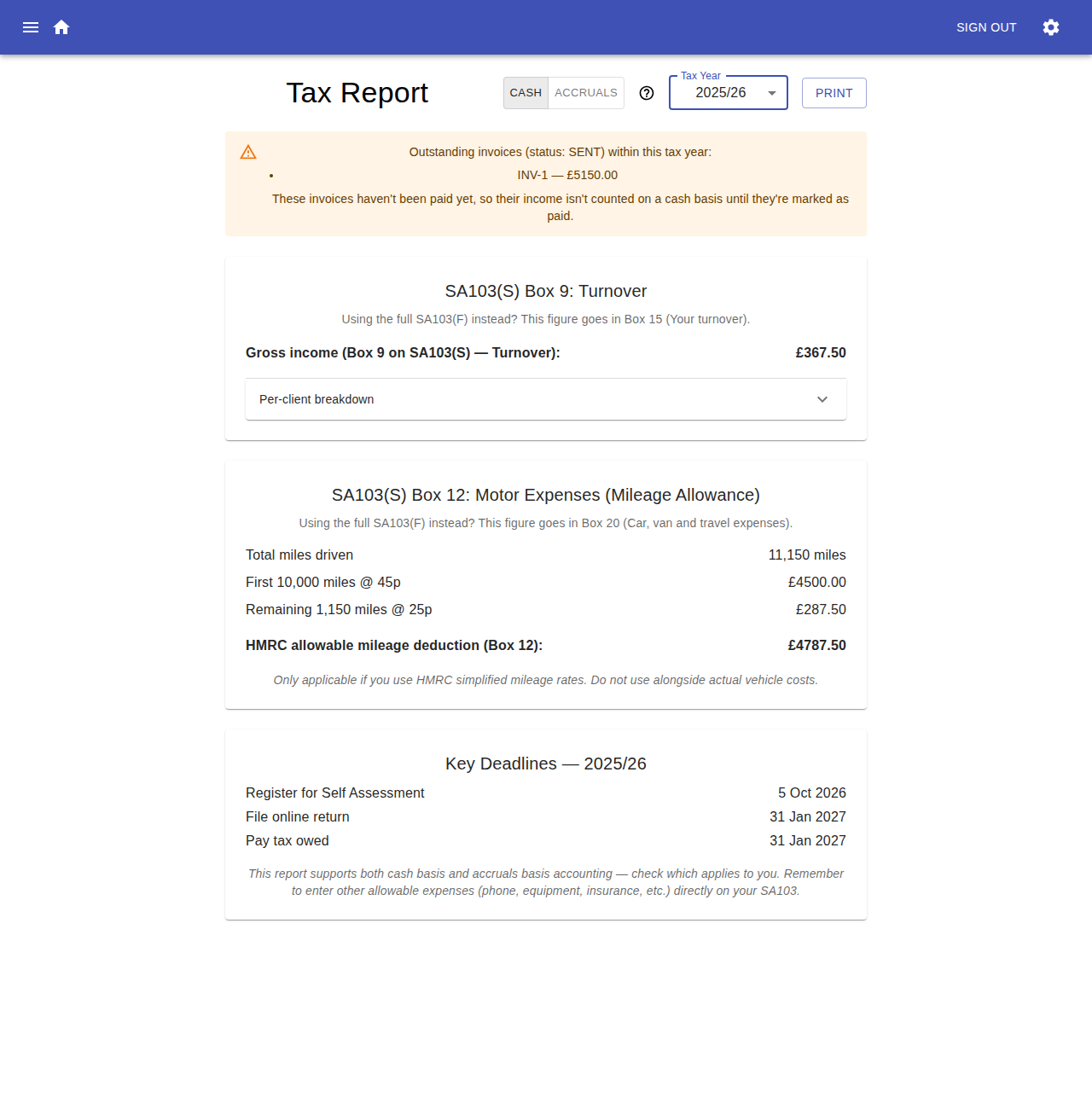
If the Outstanding invoices callout appears, review it — these are invoices marked Sent that haven't been marked Paid yet. On a cash basis their income isn't included in this year's turnover until you mark them paid. If you've since been paid for one, go to Invoices and mark it as paid before continuing.
-
Copy the Gross income figure into:
- Box 9 (Turnover) if you're filing the short SA103(S), or
- Box 15 (Your turnover) if you're filing the full SA103(F)
Expand Per-client breakdown if you want to double check the figure against individual clients.
-
If you drive to provide your services and use HMRC's simplified mileage rates, copy the HMRC allowable mileage deduction figure into:
- Box 12 (Motor expenses) on the SA103(S), or
- Box 20 (Car, van and travel expenses) on the SA103(F)
Don't use this figure if you instead claim actual vehicle running costs.
-
Note the Key Deadlines shown at the bottom of the report for registering, filing online, and paying any tax owed.
-
Use the Print button to print or save a PDF copy of the report for your records.
This report only covers turnover and mileage. You'll still need to enter any other allowable business expenses (phone, equipment, insurance, etc.) directly on your SA103.