Reports Page
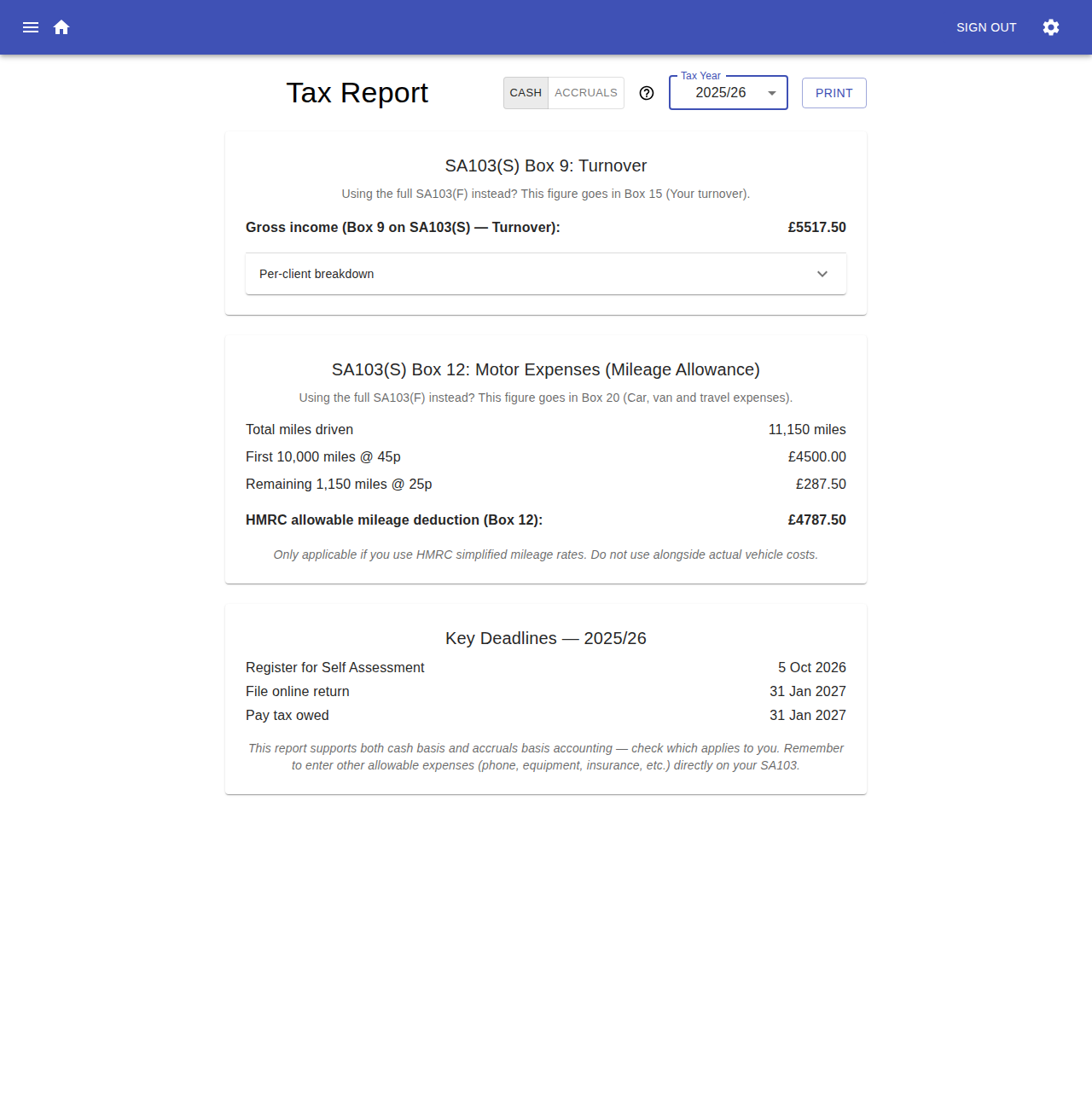
The Reports page calculates the turnover and mileage figures you need for a UK Self Assessment return, from your recorded activities and invoices. It's designed to help you fill in your Self Assessment return, whether you file the SA103(S) (Self-employment, short) or SA103(F) (Self-employment, full) form.

Tax Year
Use the Tax Year selector to choose which UK tax year (6 April to 5 April) to report on. The report defaults to the most recently completed tax year.
Cash vs Accruals Basis
The Cash / Accruals toggle changes how income is attributed to the tax year:
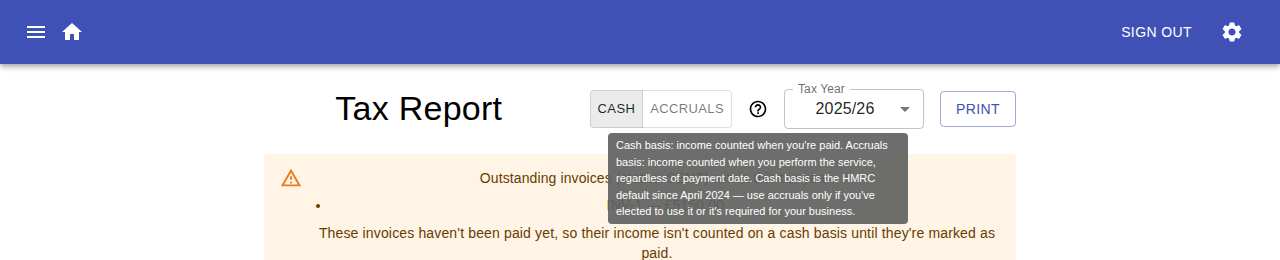
- Cash basis — income is counted when you're paid. This is the HMRC default since April 2024.
- Accruals basis — income is counted when you perform the service, regardless of when you're paid.
Use accruals only if you've elected to use it, or it's required for your business. Hover over the ? icon next to the toggle for a reminder of the difference.
Switching basis only affects the turnover figures below — the mileage allowance is unaffected, since it's calculated from every service rendered in the date range regardless of invoice or payment status.
Outstanding Invoices
On the cash basis, if you have any invoices with a status of Sent (i.e. not yet marked Paid) that fall within the selected tax year, they're listed in a callout at the top of the report. Their income isn't included in turnover until they're marked as Paid — see Marking an Invoice as Paid.
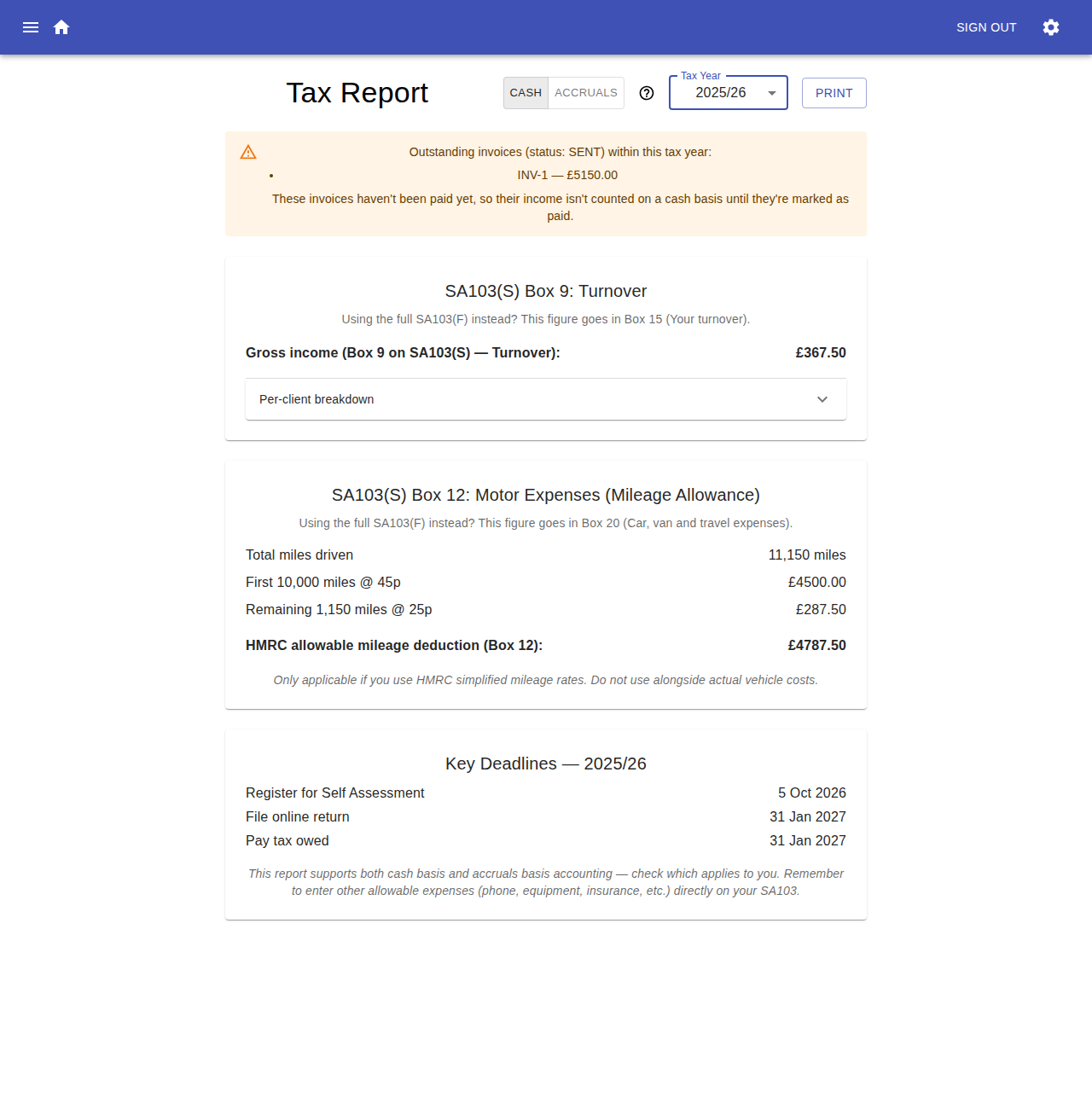
This callout doesn't appear on the accruals basis, since accruals already counts the income from the underlying service regardless of payment status.
Turnover (Box 9 / Box 15)
This section totals your service income and any mileage billed to clients into a single Gross income figure:
- If you're filing the short form, this goes in SA103(S) Box 9 (Turnover).
- If you're filing the full form, this goes in SA103(F) Box 15 (Your turnover).
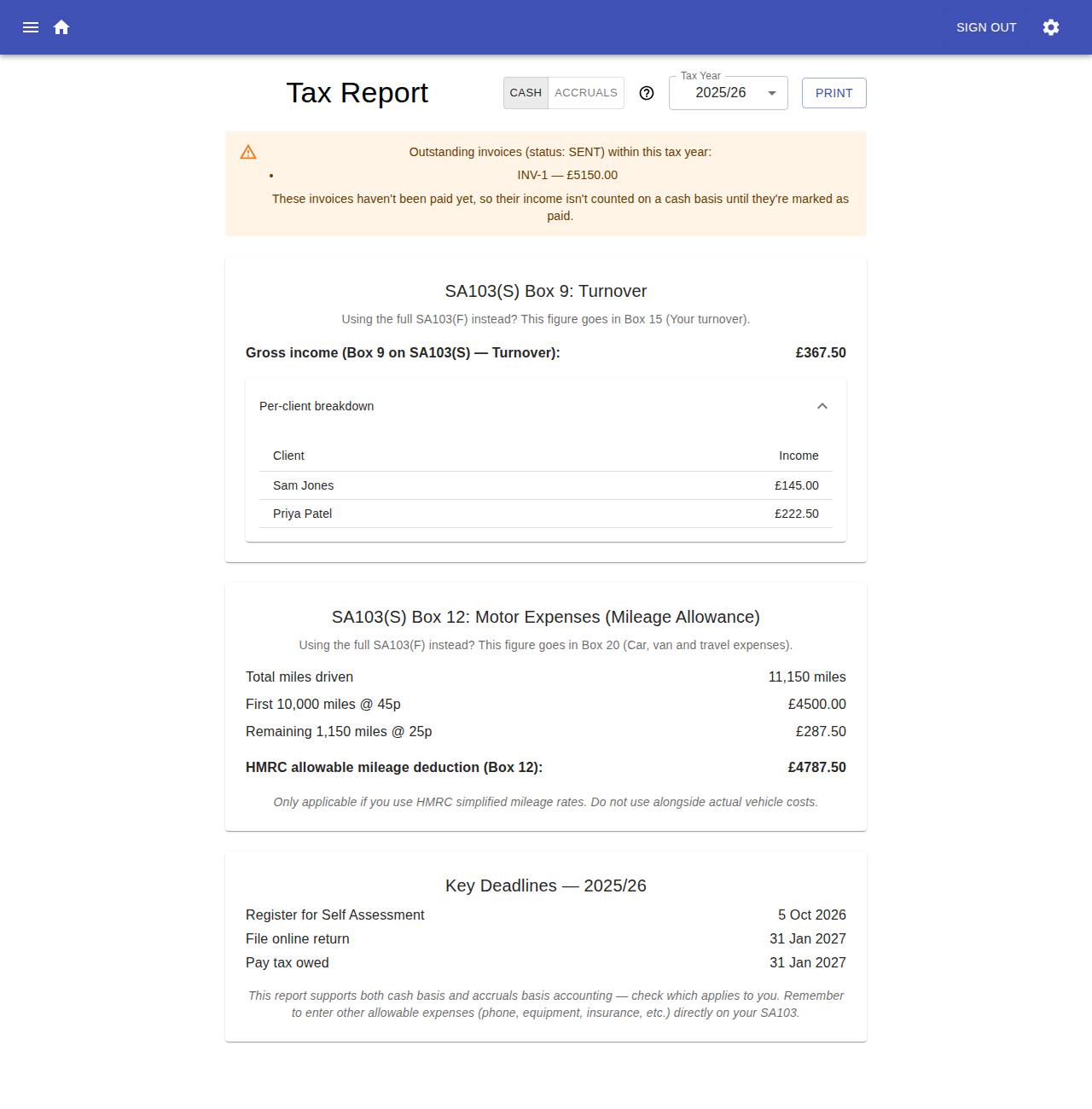
Expand Per-client breakdown to see the same total split out by client:
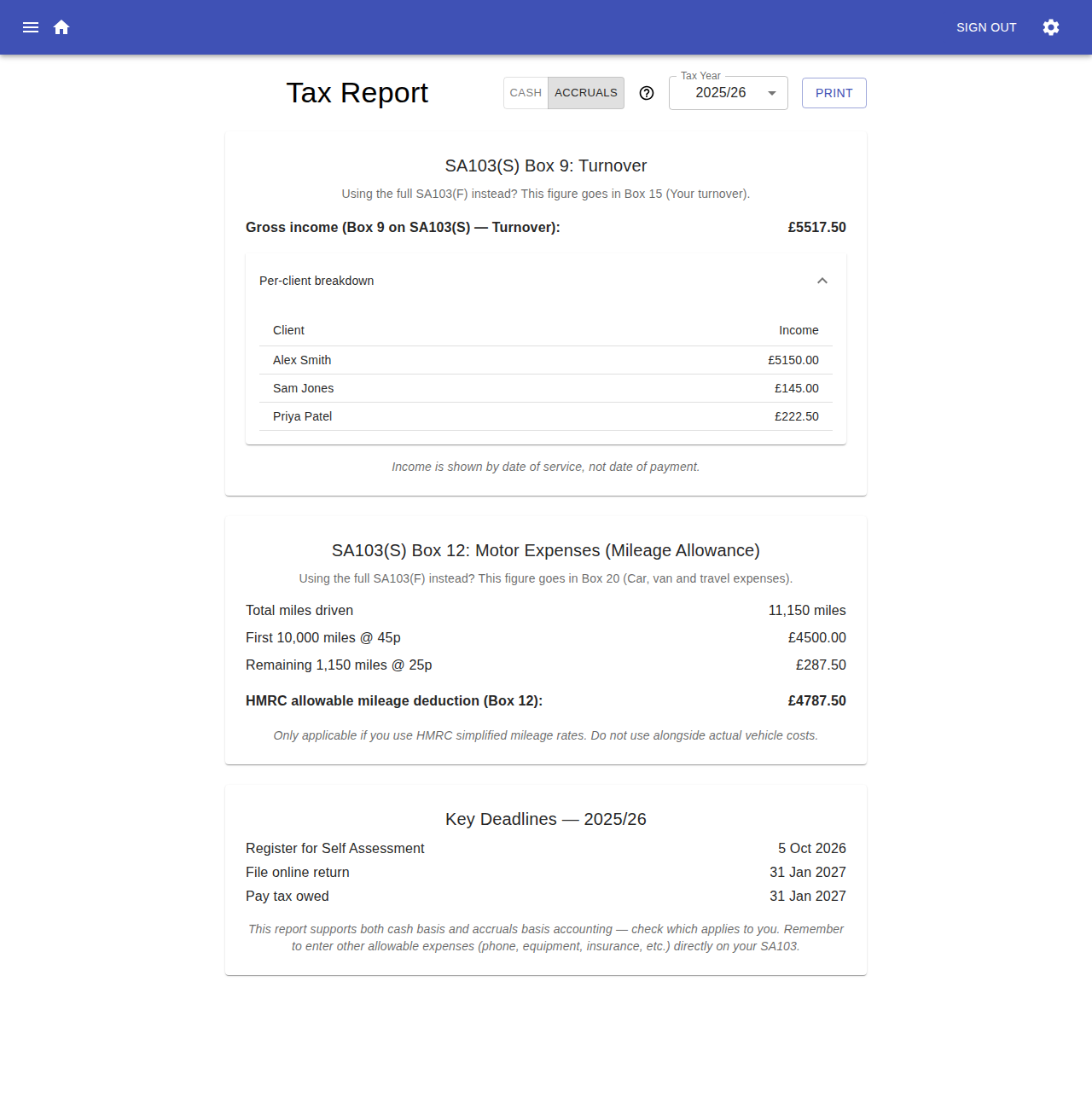
Switching to the accruals basis changes which invoices count towards these figures, and adds a note that income is shown by date of service rather than date of payment:
Motor Expenses / Mileage Allowance (Box 12 / Box 20)
This section calculates the HMRC simplified mileage allowance from the total miles driven for all services rendered in the tax year, tiered at:
- 45p per mile for the first 10,000 miles
- 25p per mile for any miles beyond that
The total goes in:
- SA103(S) Box 12 (Motor expenses) on the short form.
- SA103(F) Box 20 (Car, van and travel expenses) on the full form.
This figure is only applicable if you use HMRC's simplified mileage rates — don't use it alongside actual vehicle running costs.
Key Deadlines
The footer of the report shows the key HMRC deadlines for the selected tax year: registering for Self Assessment, filing your return online, and paying any tax owed.
Printing
Use the Print button to print the report, or save it as a PDF, for your records or to hand to an accountant.
The Reports page covers turnover and mileage only. You'll still need to enter any other allowable expenses (phone, equipment, insurance, etc.) directly on your SA103.